AI Tools · Blog
Best Tools for Multi-Agent Fanout (2026)
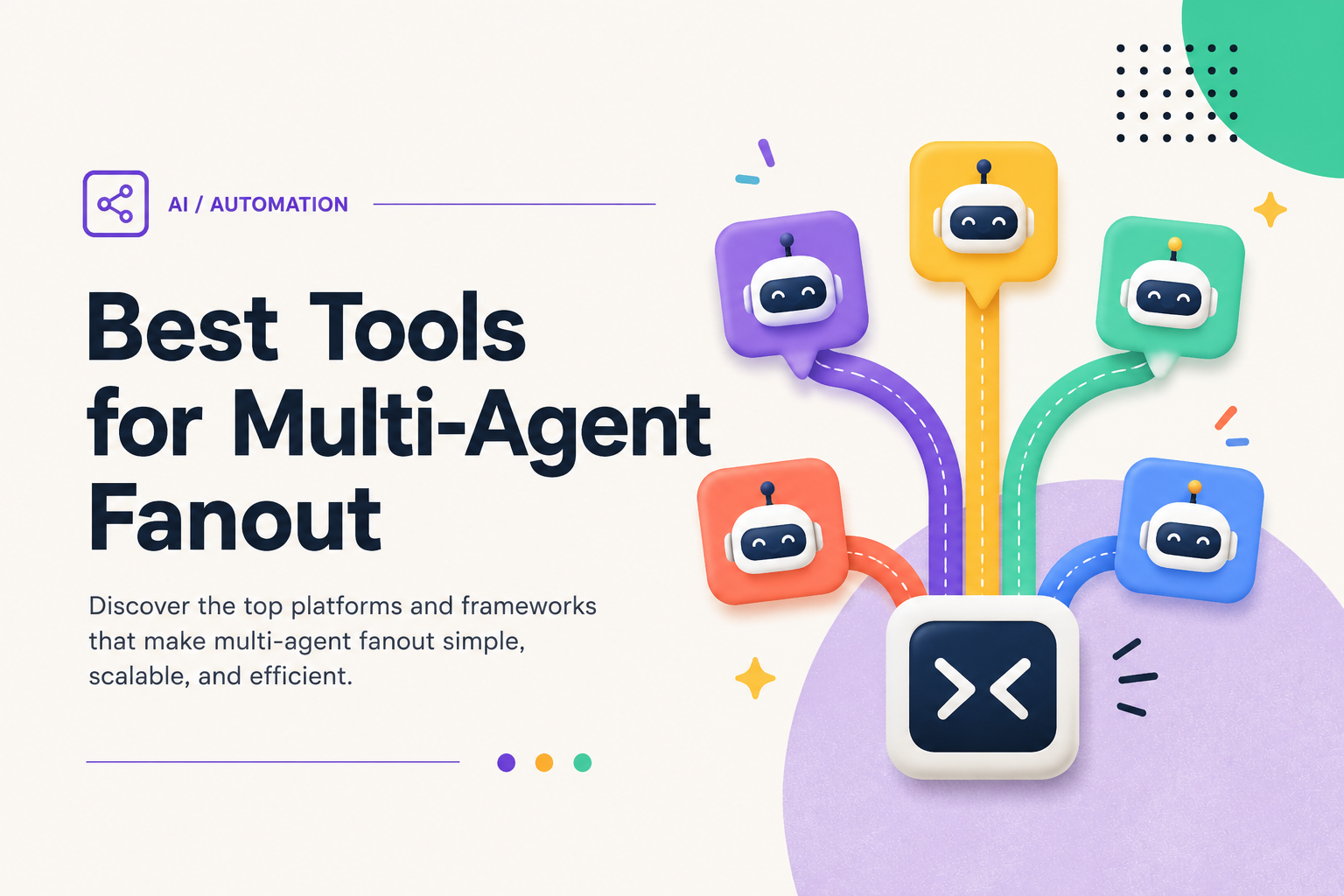
Running one AI agent is useful. Running twenty of them at once, each chewing through a different slice of the same job, is a different kind of speed. That pattern, fanout, is how you turn a task that would take an agent an hour of sequential work into one that finishes in minutes: split the work, dispatch a worker per piece in parallel, then gather and merge the results.
Fanout is distinct from orchestration. Orchestration is about coordination: agents handing work to each other in sequence. Fanout is about scale: many agents doing independent work simultaneously, with a fan-in step at the end to reconcile everything. The hard parts are isolation (so parallel workers don’t clobber each other), dispatch (mapping a work-list to workers), and the merge (collecting results without conflicts). Here are the 10 best tools for multi-agent fanout in 2026, ranked by how cleanly they solve those three problems.
1. Crystl: Best Purpose-Built Fanout App for CLI Agents
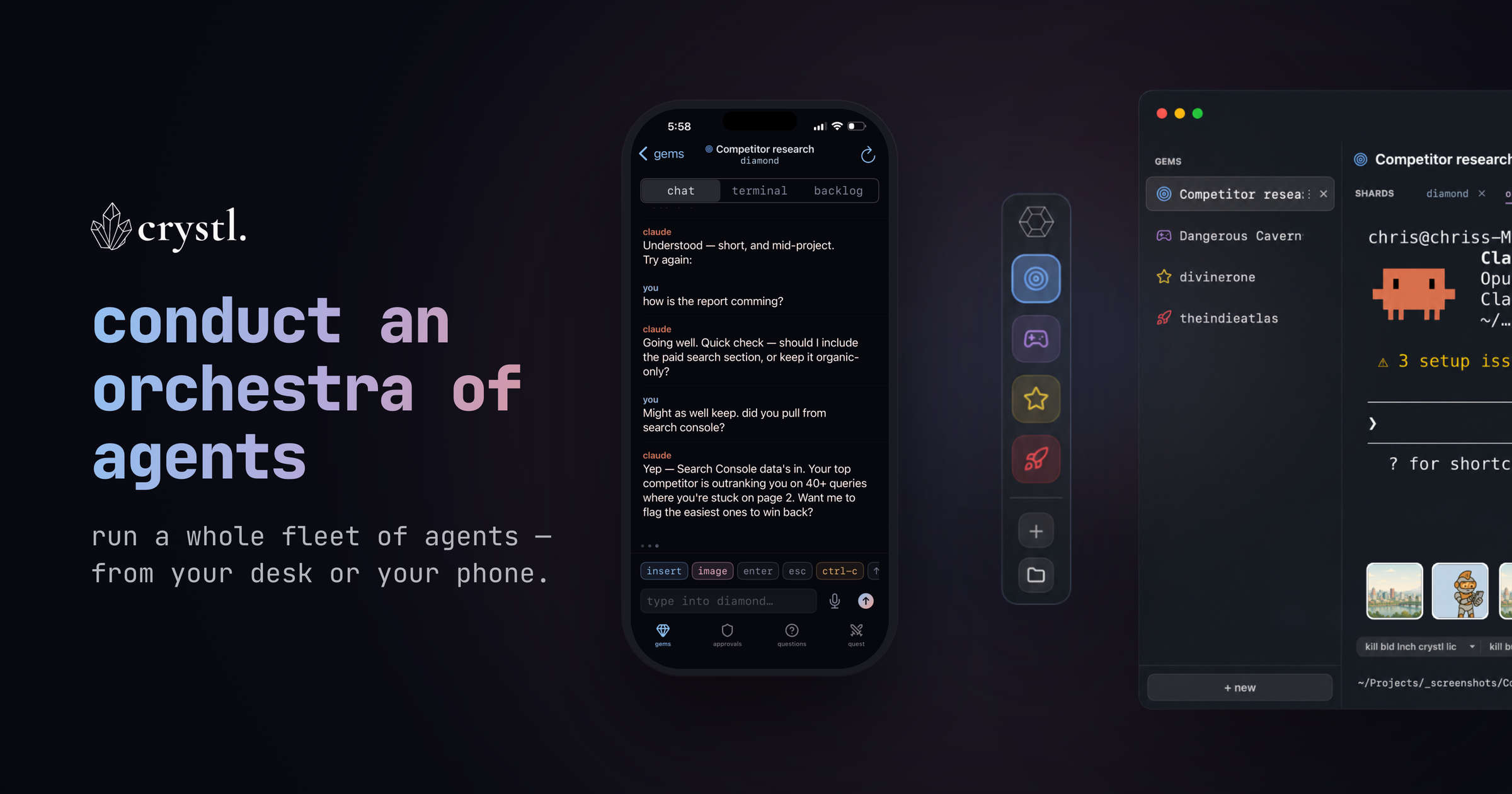
Crystl is a native macOS terminal built for running fleets of CLI coding agents in parallel: Claude Code, Codex, and any other agent that runs in a terminal, with dedicated support for Claude Code and Codex. Where most tools on this list are frameworks that make you write the dispatch-and-gather logic yourself, Crystl gives you a visual app that maps a task list to workers, spawns one agent per task, and merges their output when they finish. No SDK required.
Key Features
- Fanout via agent orchestration: The headline capability. Put an orchestrator on the work and Crystl fans tasks out across multiple Claude Code agents in parallel, each in its own shard. Then you pull the results back together. Fan-out-fan-in built into the app, no SDK required.
- Crystl Quest: Assemble a “party” of specialized agents that coordinate in a shared chat and execute in parallel: roundtable orchestration you can actually watch.
- Workbench: A shared task board where you and your agents track and divide up the work together as a fanout runs.
- Isolated shards (git worktrees): Every agent runs in its own shard backed by a separate git worktree and branch, so a dozen agents can fan out across the same repo without merge conflicts.
- Gems & Shards: Organize projects into “gems,” each holding multiple “shards”: the unit of parallelism you fan work across.
- The
crystlCLI: Spawn shards, send work, read another agent’s terminal output, and handle approvals from any shell, so a fanout can itself be scripted and driven headlessly by an orchestrator agent that recruits its own workers. - Hero profiles: Fan work out to named specialists: Wizard (UI/UX), Ranger (frontend), Monk (QA), and more, each with its own persona and model, or build your own hero profiles so each worker in the fanout is tuned for its slice of the job.
- Schedule fanouts: Kick off a batch on a timer (an overnight sweep across a repo, a nightly report run) and Crystl spins up the shards at the scheduled time.
- Agent Activity Panel: One view of every worker in the fanout across all your gems (running, waiting on approval, or finished), so you track a 20-agent fan-out at a glance instead of tab by tab.
- Action Panels: Approval panels, notifications, and session colors make a many-agent fanout legible: you spot what needs attention so nothing stalls.
- Token Tracking: Per-shard token-burn and turns-left readouts, so you can see the fleet’s total context spend and catch a worker about to run out mid-fanout.
- Steer from your iPhone: Start a fanout at your desk, then monitor and approve the workers from the companion iPhone app while the fleet runs on your Mac.
- Cavrn rendering engine: A fanout means many live terminal surfaces at once: the case most terminals, tuned for one fast surface, handle worst. Crystl’s Cavrn engine throttles off-screen shards to near-zero render work and repaints only changed rows, so twenty agents fanning out in parallel stay smooth where twenty conventional terminal windows would bog the machine down.
Best For
Developers who want to fan a job out across many agents without writing orchestration code. Crystl’s Fanout skill plus per-shard git isolation solves the two hardest parts of parallel agent work (dispatch and conflict-free merge) inside a polished native app. Whether you run Claude Code, Codex, or another CLI agent, this is the fanout layer built for it.
Pricing: Free tier (5 gems, 5 shards per gem) | Guild plan at $85/year for unlimited gems, shards, and parallel workers.
Platform: macOS only
2. Claude Code Subagents: Best Native Fanout Inside a Single Session
Claude Code can fan work out to subagents from inside one session: when you ask it to run independent searches or edits, it dispatches multiple Task agents in parallel and gathers their results. No framework, no glue code: the fanout primitive is built into the tool.
Key Features
- Parallel Task Tool: Launch several subagents in one message and they run concurrently, each with its own context window, returning only their conclusions to the parent.
- Context Isolation: Each subagent burns its own tokens, so broad codebase sweeps don’t bloat the main conversation: the parent keeps the summary, not the file dumps.
- Custom Agent Types: Define specialized subagents (Explore, code-reviewer, and your own) and fan a task list across them with per-agent tool permissions.
- Background Tasks: Long-running workers can run detached and report back when complete, so the main agent keeps working while the fanout finishes.
Best For
Anyone already in Claude Code who needs to parallelize research, audits, or independent edits without leaving the terminal. The trade-off: fanout lives inside one session, so it’s ideal for sub-tasks of a single job rather than running separate long-lived projects side by side.
Pricing: Included with Claude Pro/Max or API usage.
Platform: macOS, Linux, Windows (CLI), plus IDE and web
3. LangGraph: Best for Map-Reduce Fanout in Production
LangGraph by LangChain models workflows as stateful graphs, and its Send API is purpose-built for fanout: a node can dispatch N parallel branches at runtime (one per item in a list), then a downstream node fans them back in. It’s the most granular map-reduce primitive in the agent ecosystem.
Key Features
- Send API for Dynamic Fanout: Spawn a parallel branch per work item even when you don’t know the count ahead of time: the canonical map step.
- Checkpointing: Every step is persisted, so a fanout of 50 branches can resume after a crash without re-running the branches that already finished.
- Reducer Functions: State channels define exactly how parallel results merge back: the fan-in step is explicit and conflict-free.
- Model-Agnostic: Works with Anthropic, OpenAI, and most providers, with full control over concurrency limits.
Best For
Engineering teams building production fanout pipelines that need durability and precise control over how parallel results recombine. The cost is a steeper learning curve: you’re writing graph definitions, not clicking a button.
Pricing: Open-source | LangGraph Platform for hosted deployment (usage-based).
Platform: Python, JavaScript
4. CrewAI: Best for Async Parallel Tasks from Code
CrewAI is the most popular dedicated multi-agent framework, and it makes fanout approachable: mark tasks as asynchronous and kickoff_for_each runs a crew across a whole list of inputs in parallel, gathering the outputs for you.
Key Features
- Async Task Execution: Flag tasks
async_execution=Trueand CrewAI runs them concurrently, blocking only where a later task depends on the results. - kickoff_for_each: Fan a single crew out across a list of inputs: the simplest map step in any framework, ideal for batch content or research jobs.
- Low Boilerplate: A working parallel crew is roughly 20 lines of Python.
- Model-Agnostic: Works with OpenAI, Anthropic, Ollama, and most LLM providers.
Best For
Teams that want the quickest route to a parallel batch pipeline: content generation, bulk research, per-record processing. The abstractions can get limiting for highly custom fan-in logic, where LangGraph gives more control.
Pricing: Open-source core is free | CrewAI+ platform from $99/month.
Platform: Python
5. OpenAI Agents SDK: Best for the Parallelization Pattern
The OpenAI Agents SDK (the production successor to Swarm) treats parallelization as a first-class pattern: run the same agent multiple times on independent inputs with asyncio.gather, or race several approaches and pick the best output.
Key Features
- Parallel Runs: Documented patterns for fanning one agent across many inputs and for running multiple guardrail or generation agents at once, then aggregating.
- Lightweight Primitives: Agents, handoffs, and guardrails with minimal abstraction: easy to read and reason about under concurrency.
- Built-in Tracing: See every parallel run in the trace viewer to debug which branch produced what.
- Provider Flexibility: Works with any model exposing a Chat Completions-style API, not just OpenAI.
Best For
Developers in the OpenAI ecosystem who want a minimal, well-traced way to run agents in parallel and aggregate the results in plain Python. Best when you want control without a heavy framework.
Pricing: Open-source SDK | pay for model API usage.
Platform: Python, JavaScript
6. Google Agent Development Kit: Best for Declarative Parallel Agents
Google’s Agent Development Kit (ADK) ships a ParallelAgent primitive: declare a set of sub-agents and ADK runs them concurrently, then hands their combined output to a downstream agent. Fanout is part of the type system rather than something you hand-roll.
Key Features
- ParallelAgent & SequentialAgent: Compose fan-out and fan-in declaratively by nesting parallel and sequential agent containers.
- Shared Session State: Parallel sub-agents write to a shared state object that a gather step reads: the merge is built in.
- Model-Agnostic: Works with Gemini, and via LiteLLM with Anthropic, OpenAI, and others.
- Vertex AI Integration: Deploy fanout workflows to managed infrastructure with first-class tracing.
Best For
Teams on Google Cloud who prefer declaring parallel structure over writing concurrency code, and who want a clean path to managed deployment on Vertex AI.
Pricing: Open-source framework | pay for model and Vertex AI usage.
Platform: Python, Java
7. Temporal: Best for Durable, Crash-Safe Fanout
Temporal is a durable execution engine, and fanout is one of its core patterns: start N child workflows or activities in parallel, await them all, and Temporal guarantees every branch completes, even across process crashes, restarts, or hours-long runs.
Key Features
- Durable Fan-Out-Fan-In: Launch parallel activities, gather results, and survive any failure mid-fanout: the engine replays state to exactly where it left off.
- Automatic Retries: Each parallel branch retries on failure with configurable policies, so one flaky agent call doesn’t sink the whole batch.
- Long-Running Workers: Fanouts that take hours or wait on human input are first-class, not edge cases.
- Polyglot SDKs: Go, Java, Python, TypeScript, and .NET.
Best For
Teams running agent fanout in production where dropped work is unacceptable: financial, infrastructure, or any job where every branch must complete. It’s infrastructure, not an agent framework, so you bring your own LLM layer on top.
Pricing: Open-source | Temporal Cloud is usage-based.
Platform: Go, Java, Python, TypeScript, .NET
8. Ray: Best for Massive-Scale Distributed Fanout
Ray is the distributed-compute framework behind much of modern AI infrastructure. For fanout, you decorate a function or agent as a remote task or actor and Ray schedules hundreds or thousands of them across a cluster. Then ray.get fans the results back in.
Key Features
- Tasks & Actors:
@ray.remoteturns any function or agent class into a unit you can fan out across a cluster with one call. - Cluster Scaling: Fan out from a laptop to thousands of cores without changing the code: Ray handles scheduling and placement.
- ray.get Fan-In: Block on a list of futures to gather all parallel results, with fine-grained control over concurrency.
- Ecosystem: Integrates with Ray Serve and the broader ML stack for serving the agents you fan out.
Best For
Teams fanning agents out at a scale that exceeds a single machine: thousands of parallel document, record, or simulation jobs. Overkill for a 10-agent task, essential for a 10,000-agent one.
Pricing: Open-source | Anyscale offers managed Ray (usage-based).
Platform: Python
9. Inngest: Best for Fanout as Durable Steps
Inngest brings durable, step-based execution to ordinary serverless functions. Its fan-out model lets one event trigger many parallel function runs, and step.run in parallel lets a single workflow dispatch independent agent steps and await them together.
Key Features
- Event Fan-Out: A single event can trigger many functions in parallel: the simplest way to fan an agent job across independent runs.
- Parallel Steps: Run multiple
step.runcalls concurrently inside one workflow, each retried and memoized independently. - Concurrency & Throttling: Built-in controls cap how many parallel agents hit a rate-limited model API at once.
- Serverless-Native: Runs on Vercel, AWS Lambda, and similar without managing a worker fleet.
Best For
Product teams who want durable fanout without running infrastructure, especially those already deploying serverless. The built-in concurrency controls make it a safe fit for rate-limited LLM APIs.
Pricing: Free tier | usage-based paid plans.
Platform: TypeScript, Python, Go
10. Microsoft Agent Framework: Best for Enterprise Concurrent Orchestration
The Microsoft Agent Framework, the unified successor to AutoGen and Semantic Kernel, ships a concurrent orchestration pattern out of the box: dispatch the same input to multiple agents in parallel and aggregate their responses, with enterprise governance baked in.
Key Features
- Concurrent Orchestration Pattern: A built-in primitive that fans one task out to many agents and gathers their answers: no custom dispatch code.
- Governance & Security: Azure-grade identity, observability, and compliance controls around every parallel run.
- Dual Language Support: First-class Python and .NET, rare among agent frameworks.
- Azure AI Integration: Tight coupling with Azure AI Foundry for deployment and monitoring.
Best For
Enterprises on Azure that need parallel agent execution with governance, audit, and .NET support. The newest entry here, so the ecosystem is still maturing, but it’s where Microsoft has consolidated its agent tooling.
Pricing: Open-source framework | pay for Azure AI usage.
Platform: Python, .NET
How to Choose the Right Fanout Tool
The right tool depends on what you’re fanning out and how much infrastructure you want to own:
- Want fanout across real projects without writing code? → Crystl maps a task list to isolated agent workers (Claude Code, Codex, or any CLI agent) and merges the results in a visual app.
- Already in Claude Code? → Use subagents to parallelize sub-tasks of a single job natively.
- Building a production map-reduce pipeline? → LangGraph‘s Send API gives durable, granular fan-out-fan-in.
- Batch processing from Python, fast? → CrewAI‘s async tasks and
kickoff_for_eachget you there in ~20 lines. - Can’t afford to drop any branch? → Temporal or Inngest make fanout crash-safe and retryable.
- Fanning out beyond one machine? → Ray scales the same code from a laptop to thousands of cores.
Fanout is becoming the default way to get real throughput out of AI agents: splitting a job, running workers in parallel, and merging clean results. If you’re working in Claude Code and want that pattern as a ready-to-use app rather than a framework to wire up, start with Crystl; if you’re building a production pipeline, use LangGraph or a durable engine like Temporal. Either way, the speed is in the parallelism.