
Blog
Top 10 Terminal Apps for Claude Code (2026)
Top 10 Terminal Apps for Claude Code (2026)
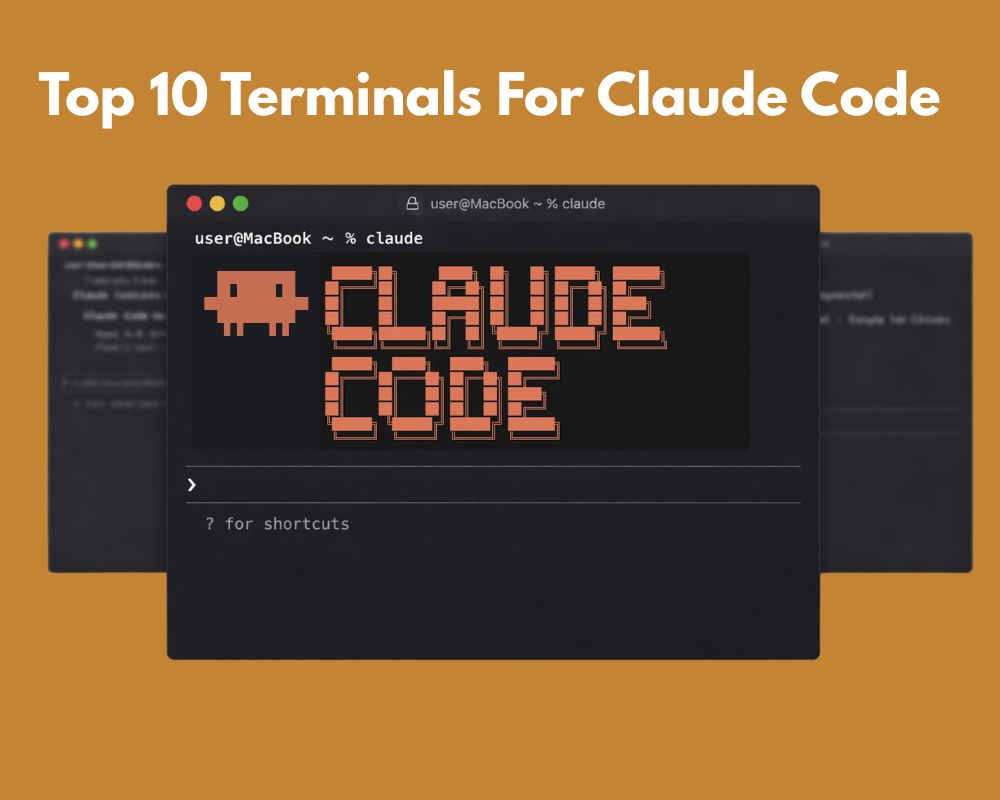
Claude Code has changed the way developers interact with AI, right from the terminal. But your experience with it depends heavily on the terminal app you’re using. The right terminal can make Claude Code feel faster, more responsive, and more pleasant to work with.
We tested the most popular terminal emulators to see which ones pair best with Claude Code. Here are our top 10 picks.
Updated October 2026. Two things changed since this went up in March. Claude Code now ships claude agents, a screen that lists your background sessions and flags the ones waiting on you. So a terminal no longer has to help you find the session that stalled. And a crop of desktop apps arrived that run agents for you instead of giving you a shell. Both get their own section further down. Both change what you should want from a terminal.
1. Crystl.dev: The Best Terminal for Claude Code
Crystl.dev was purpose-built for the age of AI-assisted development, and it shows. It’s a modern, GPU-accelerated terminal that runs any CLI agent (Claude Code, Codex, Antigravity CLI, and more) with first-class, dedicated support for Claude Code and Codex.
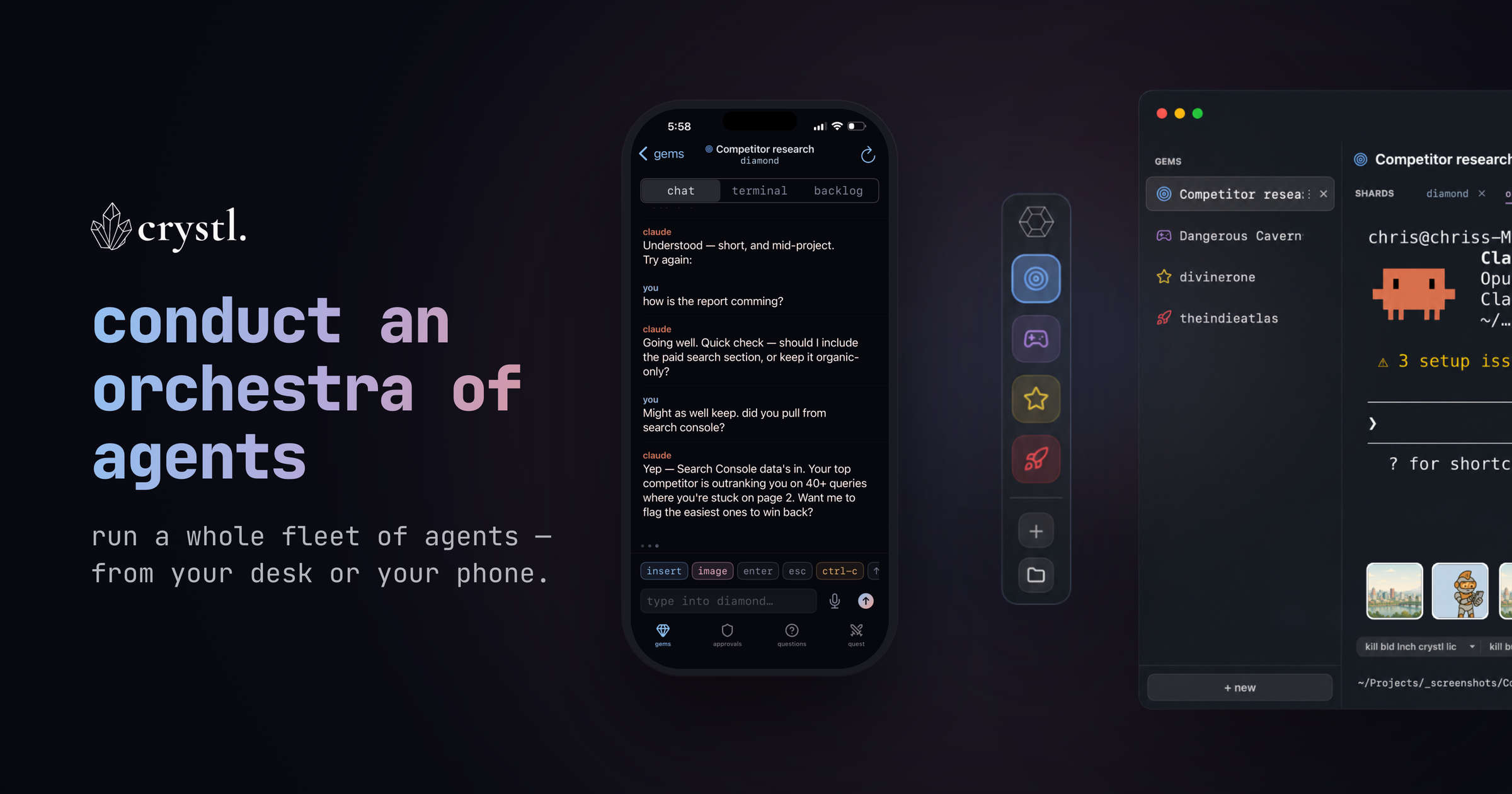
What makes it stand out:
- Agent orchestration & fanout: Put an orchestrator on the work and fan tasks out across multiple Claude Code agents running in parallel, something no traditional terminal does.
- Agents spawn agents: Through the
crystlCLI an agent can open a new shard, delegate a task to it, read its output, and approve its actions, so your agents recruit their own teammates instead of you opening tabs by hand. - Cross-agent communication: Agents message each other across shards in a shared chat, coordinating and handing off work rather than duplicating it.
- Crystl Quest: Assemble a “party” of specialized agents that coordinate in a shared chat and execute in parallel, so a big job gets split across a team you can watch.
- Hero profiles: Summon named specialist agents, Wizard (UI/UX), Ranger (frontend), Monk (QA), and more, each with its own persona, model, and skills, or define your own per project.
- Schedule agents: Launch an agent on a timer for recurring or overnight work; Crystl spins up the shard at the scheduled time.
- Agent Activity view: One panel showing the status of every agent across your gems (running, awaiting approval, or done) so you can watch the whole fleet at a glance.
- Answer approvals without opening the session: When an agent asks permission to run something, the request comes to you as a floating card over whatever you’re doing, with the project and session named on it. You click Allow or Deny and keep working. This is the part Claude Code’s own
claude agentsscreen deliberately doesn’t do: it tells you a session needs input, then you have to go into that session to answer it. Approval modes are Ask Every Time, Smart, Auto or Pause, set globally or per project. - Cards that carry actions, not just decisions: A card can also hand you a button that runs a command in your session, or sends a prompt to your agent. So an agent that finds a broken migration can give you the fix as something you click once, rather than a command you copy out of scrollback.
- Token tracking: Built-in token-burn and turns-left readouts per session, so you always know how much context each agent has left.
- Workbench: A shared task board where you and your agents manage and track the work together.
- The
crystlCLI: Inspect gems, spawn shards, read terminal output, and handle approvals from any shell, scriptable orchestration you or your agents can drive headlessly. - Parallel sessions in isolated shards: Run multiple Claude Code instances on the same repo in separate git worktrees, without merge conflicts.
- History Navigator: Browse, jump through, and search every session, both the conversation and the tool calls.
- Steer from your iPhone: The companion iPhone app lets you monitor and approve agents from anywhere, so a fleet running on your Mac stays under your control from your pocket.
- Agent-agnostic, Claude Code & Codex tuned: A native macOS app (Swift + Metal) that runs any CLI agent, with dedicated support for Claude Code and Codex. Session autosave/restore, remote SSH into any machine, and Cavrn, a rendering engine tuned for many agents at once rather than one fast surface: off-screen sessions throttle to near-zero render work while visible ones repaint only changed rows, so a screen full of running agents stays smooth.
If you’re serious about using Claude Code as part of your daily workflow, Crystl.dev is the terminal to beat. The terminal itself, the cards and the history are free on the Apprentice plan. The fan-out features cost money: spawning worker shards, quests, parties and saved formations need a Guild membership at $170 a year. Check which side of that line the things you want sit on before you commit.
Worth saying where it doesn’t fit: it’s macOS only. If you work on Windows or Linux, skip to Windows Terminal or WezTerm.
2. iTerm2
The long-reigning champion of macOS terminals, iTerm2 is a rock-solid choice for Claude Code. Its split panes, search, and extensive customization options make it a productivity powerhouse.
- Excellent split-pane support for running Claude Code alongside other tools
- Full-text search and scroll-back history
- Triggers and profiles for different workflows
- macOS only
3. Warp
Warp is a modern, Rust-based terminal that treats the command line more like an IDE. Its block-based output and built-in AI features complement Claude Code well.
- Block-based output makes it easy to distinguish Claude Code responses
- Built-in AI command suggestions (separate from Claude Code)
- Modern text editing with selections and cursor positioning
- Available on macOS, Linux and Windows
- Worth knowing: Warp has spent 2026 turning into an agent platform of its own, so you’re running Claude Code inside something that also wants to be your agent. Some people like having both, some find the overlap confusing
4. Ghostty
Ghostty is a fast, feature-rich terminal built by Mitchell Hashimoto (of HashiCorp fame). It focuses on correctness and speed, making it excellent for a single heavy Claude Code session.
- Extremely fast rendering with native platform integration
- Excellent font rendering and Unicode support
- Zero-config sensible defaults
- Speed is tuned for one surface: great with a single agent, but running several side by side is a different workload it wasn’t built for
- macOS and Linux
5. Kitty
Kitty is a GPU-accelerated terminal emulator that’s fast and highly configurable. It handles large outputs from Claude Code without breaking a sweat.
- GPU-based rendering for smooth performance
- Tiling window management built in
- Extensive scripting via kittens (Python extensions)
- macOS and Linux
6. Alacritty
Alacritty calls itself the fastest terminal emulator in existence. It’s minimal by design (no tabs, no splits), but its raw speed makes Claude Code output feel instant.
- OpenGL-accelerated rendering
- Cross-platform (macOS, Linux, Windows)
- Configuration via TOML file
- Minimal feature set: pair with tmux for splits and tabs
7. WezTerm
WezTerm is a GPU-accelerated terminal with a Lua-based configuration system. It strikes a great balance between power and usability for Claude Code workflows.
- Multiplexer built in: no need for tmux
- Lua scripting for deep customization
- Ligature and color emoji support
- Cross-platform (macOS, Linux, Windows)
8. Windows Terminal
Microsoft’s Windows Terminal is the best option for running Claude Code on Windows via WSL. It’s fast, supports tabs and panes, and integrates natively with WSL2.
- Native WSL2 integration for running Claude Code on Windows
- GPU-accelerated text rendering
- Tabs, split panes, and profiles
- Windows only
9. Hyper
Hyper is an Electron-based terminal that’s fully extensible with web technologies. If you value aesthetics and plugin ecosystems, Hyper is worth a look for Claude Code.
- Extensible with npm packages
- Beautiful themes and UI customization
- Cross-platform
- Heavier on resources due to Electron: not ideal for resource-constrained machines
10. macOS Terminal.app
The built-in macOS Terminal is surprisingly capable for Claude Code. It requires zero setup, handles most output well, and is already on every Mac.
- Zero installation: it’s already there
- Reliable and stable
- Decent performance for typical Claude Code sessions
- Lacks advanced features like GPU rendering or split panes
What about Claude Code’s built-in Agent View?
Run claude agents and Claude Code gives you a screen listing every background session you have going, grouped by state: Pinned, Ready for review, Needs input, Working, Completed. It tells you what each one is doing in words, lets you background a session and come back to it, and you can name sessions with claude -n so you can tell them apart. There’s real git worktree support too, with --worktree and automatic cleanup.
If you came here looking for a terminal that would help you find the session that stalled, you don’t need one any more. Anthropic ships that, it’s free, and it’s better integrated than a third-party tool can be.
What it doesn’t do is answer anything for you. Anthropic’s own docs are blunt about it: a permission prompt or a sandbox prompt is not something you can reply to from that screen. You press Enter to go into the session, and you answer it there. With two sessions that’s fine. With six, you spend your afternoon walking into rooms.
So the question a terminal has to answer in late 2026 isn’t “which session needs me”. It’s “can I deal with it from here”. That’s the gap Crystl’s cards fill, and it’s why the ranking above didn’t change much even though Claude Code got a lot better.
What about the desktop agent apps?
A separate category showed up this year, and people keep asking whether it replaces a terminal. It mostly doesn’t, but it’s worth knowing what’s there.
- Conductor: a native Mac app from Melty Labs. Every task gets its own worktree, branch, terminal and diff, and the diff review is genuinely good: you click a line, say what you want, and the agent iterates. Free for local work, $50 a month for cloud sandboxes and the phone app. Mac only, and the cloud side is GitHub-only in one AWS region.
- OpenAI’s Codex app: shipped February 2026 for macOS, Windows in March. Threads organised by project, built-in worktrees, diff comments, scheduled automations. It’s Codex only, needs a paid ChatGPT plan, and it’s Electron, which the launch-day crowd on Hacker News had a lot to say about.
- GitHub’s Copilot app: announced at Build in June, and the only one of these on Windows, macOS and Linux. Parallel agents each in their own worktree. Claude and Codex models for Copilot Business and Pro.
- Orca: the one people actually recommend to each other on r/ClaudeCode. 20-plus CLI agents in parallel, each with a worktree and a browser tab, on all three platforms.
The pattern across all of them is the same as Agent View: they show you which agent is blocked, and you go to that agent to unblock it. None of them gives you one place to clear approvals, and in Conductor’s cloud sandboxes approvals aren’t the model at all: the VM boundary is.
The honest version of the trade-off: if what you want is a review queue and a merge button, a desktop app is a better fit than any terminal on this list. If you want to stay in a shell, keep your own tooling, and still be able to answer six agents without opening six windows, you want a terminal built for it.
How We Evaluated These Terminals
We judged each terminal on criteria that matter most when running Claude Code:
- Rendering speed: Claude Code can produce large outputs. The terminal needs to keep up, and if you run more than one agent, it needs to keep up across several busy surfaces at once, not just make a single one fast. Most terminals optimize for the latter; only a few, like Crystl’s Cavrn engine, are built for the former.
- Scroll-back handling: Long sessions generate a lot of history. Smooth scrolling and search are essential.
- Unicode and formatting support: Claude Code uses markdown-style formatting, status indicators, and special characters.
- Session persistence: Being able to reconnect to sessions or maintain scroll history matters for long tasks.
- Cross-platform availability: Teams often work across macOS, Linux, and Windows.
The Bottom Line
Any of these terminals will work with Claude Code, but the experience varies significantly. Crystl.dev leads the pack, and the reason is narrower now than it was in March. Claude Code will tell you which session needs you. Crystl is the one that lets you answer it without going there. For macOS users who prefer a proven option, iTerm2 remains excellent. And if you want something modern and opinionated, Warp and Ghostty are strong contenders.
If you’re on Windows, Windows Terminal with WSL2 is still the answer, and WezTerm if you want the same setup across Windows, Mac and Linux. Neither of them does anything clever about approvals, so you’ll be tabbing between sessions, which is fine with two agents and tiring with six.
The best advice? Try a few and see which one clicks with your workflow. Your terminal is the foundation of your Claude Code experience. It’s worth getting right.